
Team visibility
See live chatter activity and workload across your roster.
Feature
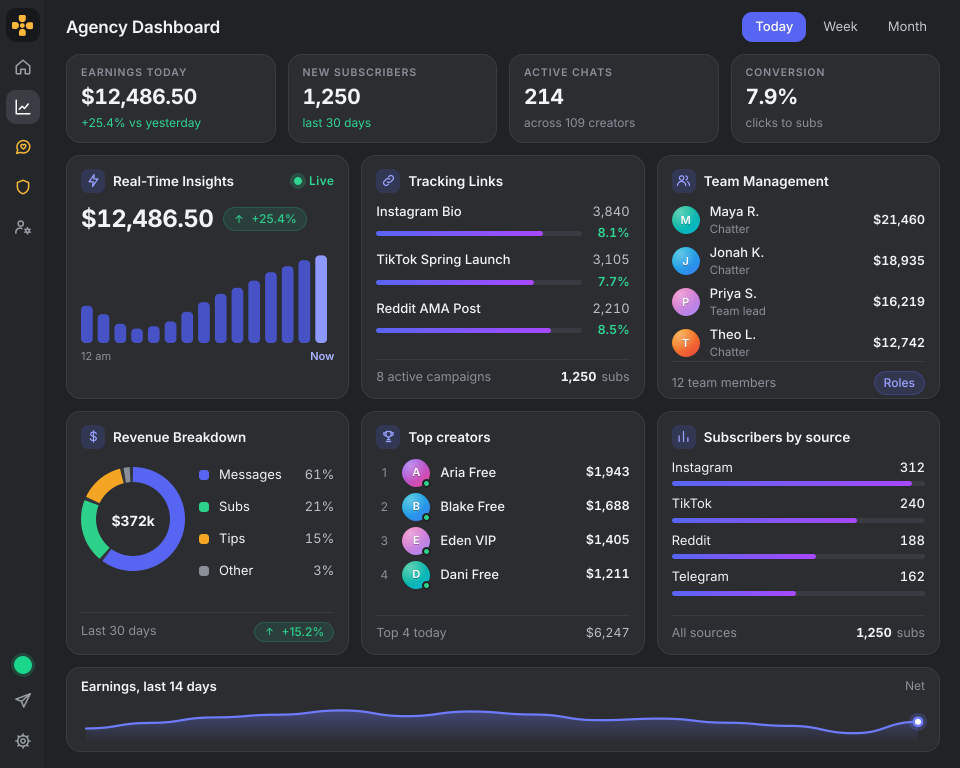
Run your team with visibility. See who is online, who performs best, and where your message workflow needs improvement.
See live chatter activity and workload across your roster.
Track response speed and consistency to maintain quality.
Identify top performers and coach low-performing shifts.
Chatter analytics is the practice of measuring how your messaging team performs - response times, online activity, messages sent, and revenue generated per chatter. OFManager surfaces these metrics in one dashboard so managers can coach the team and reward top performers.
OFManager tracks online time, messages sent, response speed, conversion rate, and revenue generated per chatter across every creator on your roster. Performance trends help you identify your best shifts and where your workflow needs improvement.
Yes. Team visibility shows live chatter activity, current workload, and which creator account each chatter is working on, so managers always know coverage at a glance.
Yes. Revenue is attributed to the chatter who closed the sale, so you can rank performance, pay commissions accurately, and identify your highest-impact team members.
Yes. Analytics roll up across your entire roster, so agency managers can compare performance per creator, per chatter, and per shift in one place.